


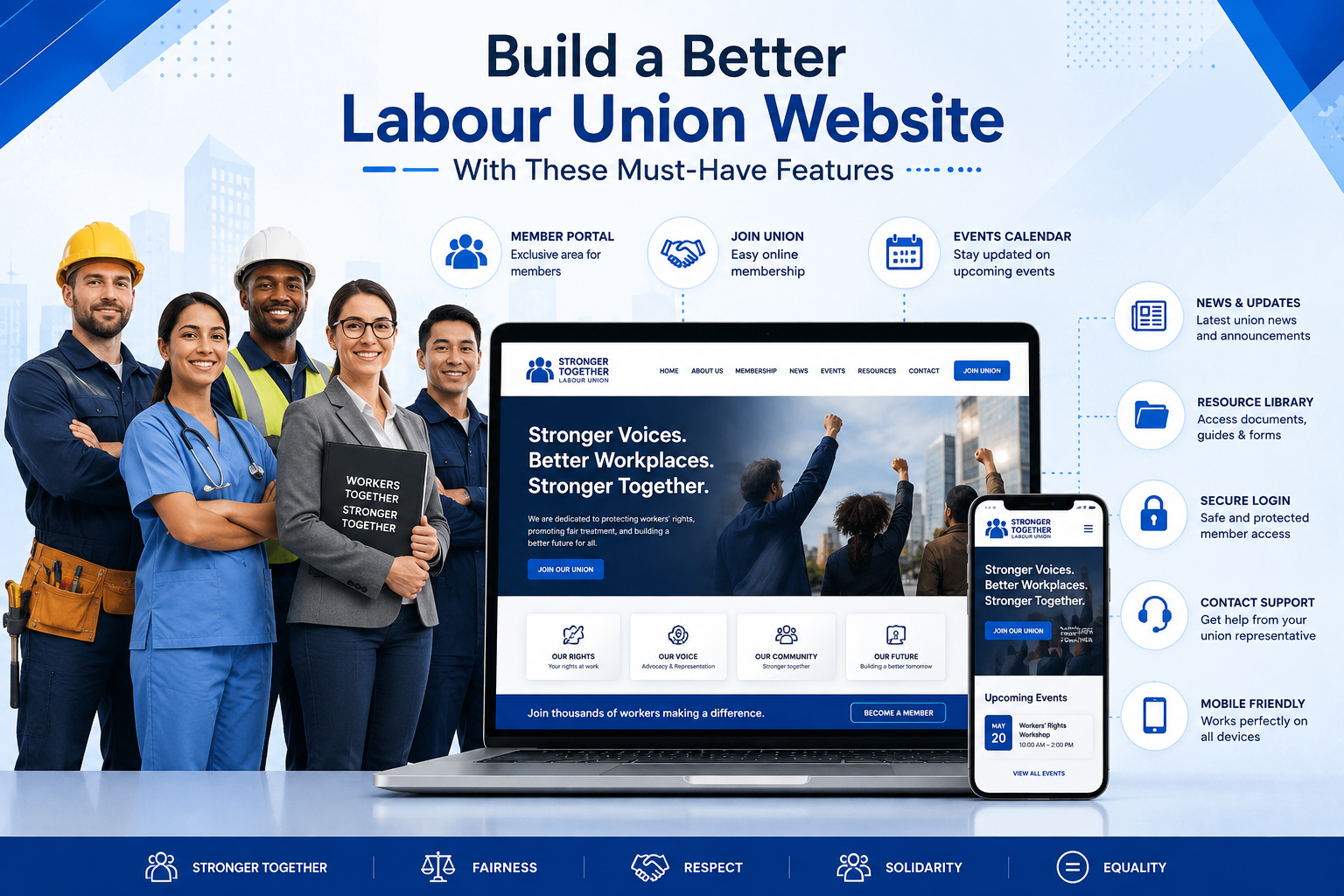
The website of a trade union is usually the starting point for people who want to know more about the organization, both current members, prospective members, as well as the general public. However, many of them have poor websites that are difficult to use, have loading time issues and are not mobile friendly. Members can struggle to get access to documents, to use services and to stay informed about meetings and announcements. Problems that are common in this regard include poor navigation, out-of-date information, few communication features, lack of web forms and member self-service features. A modern labour union website design helps improve communication, strengthen member engagement, simplify administration, and provide easy access to essential resources.
Why a Modern Labour Union Website Matters
Today's members expect information to be there when they need it. A modern website is not just an online brochure, but a communications, resource and service hub. A well crafted labour union website can:
- Build trust with current and future members.
- Improve union member engagement through better communication.
- Make contracts, policies and updates easy to locate.
- Cut administrative work with online self-service tools.
- Encourage people to participate in meetings, events and training.
- Deliver a uniform experience across desktops, tablets and smart phones.
A modern website helps unions work more efficiently and creates a better experience for each member.
Must-Have Features for a Labour Union Website
User Experience Features
1. Simple Navigation
It is essential that members can easily find contracts, news, contacts, and other information through links.
Why it matters? Difficult navigation makes it difficult for the user to find relevant information.
- It should be clear and easy to navigate.
- Use logical page types.
- Add sticky navigation to easily browse.
Typical mistakes
- Too many choices on the menu.
- Pages hidden.
- Names of pages unclear.
2. Mobile-Friendly Design
Many members are visiting union websites on their phones.
Why it matters? Responsive websites mean that everyone has the same experience no matter what device they are on.
Implementation tips
- Responsive layouts.
- Large touch-friendly buttons.
- Readable font sizes.
Common mistakes
- Tiny text.
- Horizontal scrolling.
- Slow mobile performance.
3. Website Search
A search bar helps users quickly locate documents, policies, or news.
Why it matters? Members save time and find the information they need faster.
Implementation tips
- Place search in the header.
- Include filters.
- Index documents properly.
Common mistakes
- Hidden search bar.
- Inaccurate search results.
Member Services
4. Member Portal
Union member portals that are secure enable members to have access to confidential information at any time.
Why it matters? Confidential information stays safe but yet accessible to members.
Implementation tips
- Secure login.
- Personal dashboard.
- Profile management.
Common mistakes
- Complicated login process.
- Weak password policies.
5. Online Membership Forms
Digital forms simplify joining the union.
Why it matters? Short online applications encourage more people to become members.
Implementation tips
- Keep forms simple.
- Optimise for mobile.
- Send confirmation emails.
Common mistakes
- Long forms.
- Missing required fields.
6. Resource & Document Library
Members should have easy access to agreements, policies, guides, and newsletters.
Why it matters? An organised library reduces support requests and improves transparency.
Implementation tips
- Categorise resources.
- Add search filters.
- Offer downloadable PDFs.
Common mistakes
- Outdated documents.
- Poor organisation.
7. Online Membership Fee Payments (If Applicable)
Online payment methods make managing memberships easier.
Why it matters? Making payments convenient ensures member satisfaction.
Implementation tips
- Using a reliable payment gateway.
- Payment confirmations.
- Safe checkout process.
Mistakes to avoid
- Unsecured payment pages.
- Limited payment methods.
Communication Features
8. News & Announcements
Informing members through regular updates.
Why it matters? It creates transparency and fosters trust.
Implementation tips
- Publish news regularly.
- Organise posts by category.
- Highlight important announcements.
Common mistakes
- Inactive news section.
9. Events Calendar
Promote meetings, workshops, and training sessions.
Why it matters? A visible calendar encourages attendance and participation.
Implementation tips
- Calendar view.
- RSVP functionality.
- Event reminders.
Common mistakes
- Leaving expired events online.
10. Contact & Support Forms
Members should be able to contact the right department quickly.
Why it matters? Easy communication improves member satisfaction.
Implementation tips
- Department-specific forms.
- Confirmation messages.
- Spam protection.
Common mistakes
- Broken forms.
- Missing contact details.
11. Newsletter Signup
Email remains one of the best communication tools.
Why it matters? Regular newsletters help improve union member engagement.
Implementation tips
- Short signup form.
- Explain the benefits.
- Include a privacy notice.
Common mistakes
- Asking for unnecessary information.
Security Features
12. SSL & Secure Hosting
Website security protects both members and the organization.
Why it matters? Secure websites build confidence and protect sensitive information.
Implementation tips
- HTTPS encryption.
- Reliable hosting.
- Regular backups.
Common mistakes
- Expired SSL certificates.
- No backup strategy.
13. Spam & Malware Protection
Security threats continue to evolve.
Why it matters? Protecting your website reduces downtime and prevents data loss.
Implementation tips
- CAPTCHA.
- Firewall protection.
- Regular software updates.
Common mistakes
- Ignoring security updates.
Accessibility Features
14. Accessible Website Design
Every member should be able to use the website.
Why it matters? Accessible design supports people with disabilities and creates a better experience for everyone.
Implementation tips
- Alt text for images.
- Keyboard navigation.
- Strong colour contrast.
- Clear heading structure.
Common mistakes
- Missing image descriptions.
- Low contrast.
- Inaccessible forms.
Performance Features
15. Fast Loading Pages
Website speed affects both visitors and search rankings.
Why it matters? Slow websites increase bounce rates and reduce engagement.
Implementation tips
- Compress images.
- Enable browser caching.
- Use lightweight code.
Common mistakes
- Large image files.
- Too many plugins.
Outdated vs Modern Labour Union Websites
| Outdated Website | Modern Website |
|---|---|
| Static pages | Regularly updated content |
| Desktop only | Responsive on every device |
| Resources (PDF only) | (searchable) Resource library |
| No member site | Secure member dashboard |
| Email correspondence only | Forms, newsletters, and event registration |
| Basic contact page | Interactive help options |
| Low speed | Optimised loading speed |
| Security is limited | Backups, malware protection, SSL encryption |
Labour Union Website Launch Checklist
Before you launch your new website, make sure you have:
- Responsive Design for Cross-Device
- User-friendly
- Fast-loading pages
- SSL certificate installed
- Member portal Test
- Online forms are working
- Search feature turned on
- Updated contact information
- Active news section
- Calendar of events
- Document library that is organised
- Accessibility review done
- Backup system configuration
- Analytics configuration
Choosing the Right CMS or Website Platform
Picking the right features is half the battle, you need to pick the right platform too.
Popular choices include:
- WordPress – Flexible, easy to use and has thousands of plugins.
- Xperience by Kentico - Versionless, Hybrid headless ideal for mid tier and enterprise organizations.
- Drupal – Suitable for large organizations that need advanced permissions and security.
- Custom CMS – For unions with special operational requirements.
When comparing the top website builders tailored for labour union organizations, consider:
- Updating content is simple
- Security features
- Scalability
- Availability of plugin
- User Rights
- Mobile responsive
- Long-term maintenance costs
Best Practices for Labour Union Websites
For a labour union, a successful website should be mobile friendly, accessible and secure. Responsive design means members can access information from any device, while features such as alt text, keyboard navigation and clear headings make it usable for all. Member data is protected with rigorous security measures like SSL encryption, frequent backups and software updates, as well as a dependable online experience.
Need Help Building Your Labour Union Website?
If your current site doesn’t have the tools you need to communicate, provide member services or accessibility, it might be time to upgrade. You can partner with a professional web design firm to create a modern labour union website with secure member portals and better functionality. Request a Labour Union Website Quote